
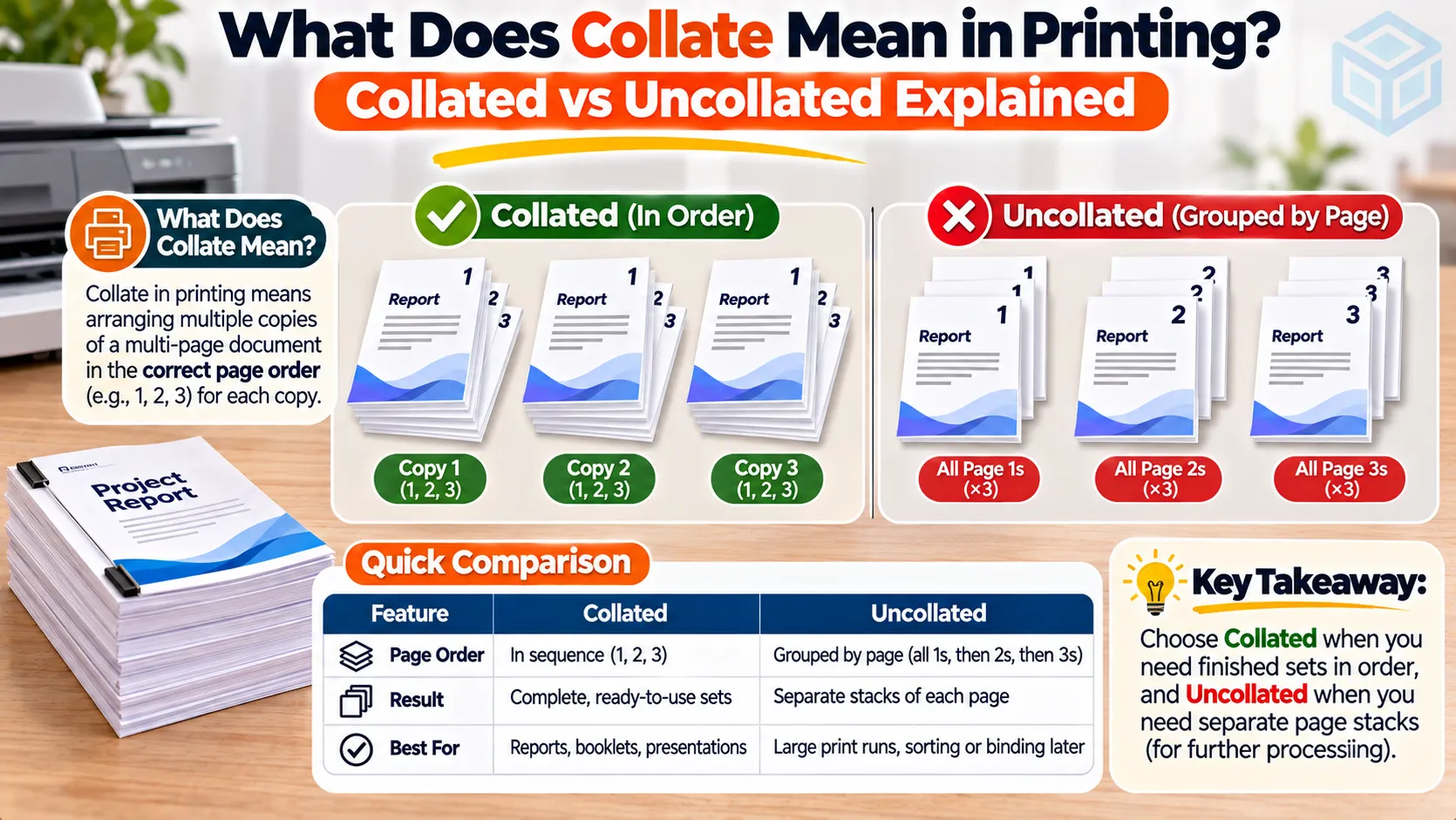
Collate in printing means your copies come out as complete sets, in page order. If you print three copies of a three-page document collated, you get pages 1, 2, 3, then 1, 2, 3, then 1, 2, 3. Uncollated, you get all the page 1s first, then all the page 2s, then all the page 3s (1, 1, 1, 2, 2, 2, 3, 3, 3).
That’s really all there is to it. Collating saves you from sorting pages by hand, which is why it’s turned on by default on most printers.
Collated vs uncollated at a glance
| Collated | Uncollated | |
|---|---|---|
| Output order (3 copies of 3 pages) | 1-2-3, 1-2-3, 1-2-3 | 1-1-1, 2-2-2, 3-3-3 |
| Ready to hand out? | Yes, each set is complete | No, pages need sorting |
| Best for | Reports, handouts, booklets, manuals | Single-page flyers, posters, separate forms |
| Speed | Can be slightly slower on some printers | Can be slightly faster on some printers |
Where the word comes from
Collate comes from the Latin word for “brought together”. In printing it has always meant gathering pages into the right order. Before office printers did it automatically, people laid out stacks of each page on a long table and walked along picking one sheet from each pile. That’s still how some large print shops describe it: collating, or gathering.

When to use collate
Turn collate on when every person or package needs a full set of pages:
- Meeting handouts and reports
- Training manuals and instructions
- Booklets and multi-page brochures
- Order packs with an invoice, a care card and a thank-you note
- Kits where each customer gets one of each sticker or label design
When to turn collate off
Uncollated printing makes sense when you want stacks of the same page:
- You’re printing a single-page flyer or poster (collation doesn’t matter at all)
- Each page goes to a different place, for example 50 order forms and 50 return labels
- You’re feeding the pages into another process, like binding or folding, that wants identical stacks
- Your printer is noticeably faster uncollated and you’re happy to sort later
How to collate when printing
Windows (Word, PDF readers, browsers)
Open the print dialog, set the number of copies to more than one, and tick the box labeled “Collate”. The small icon next to it usually shows the 1-2-3 page order.
Mac
In the print dialog, open the section called “Paper Handling” (or click “Show Details” first) and make sure “Collate pages” is checked.
Google Docs and Chrome
Chrome’s print dialog collates automatically when you print more than one copy. Some printer drivers add a separate collate option under “More settings”.
Office copiers
On a copier, look for “Sort” or “Collate” on the finishing screen. Many copiers can also staple each collated set.
Why collated printing can be slower
When a printer collates, it has to print page 1, then page 2, then page 3, and repeat, so it needs to hold the whole document in memory. Older or basic printers sometimes handle that more slowly than printing many copies of one page in a row. Modern printers usually make the difference small.
Collating in commercial and packaging printing
In print shops, collating covers more than office documents:
- Booklets: printed sheets (called signatures) are gathered in order before folding, stitching or binding.
- Multi-part forms: carbonless forms are collated so each set has a white, yellow and pink copy.
- Sticker and label sets: different designs are grouped so each customer, kit or box gets one of each.
- Packaging inserts: instruction cards, thank-you cards and coupons are collated into the right order before they go into a box.
If you’re ordering several sticker designs, say so up front. We can print them as separate stacks or as collated sets, depending on how you pack. Our custom printed stickers and custom design stickers can be supplied either way. For more on printing methods, read offset vs digital printing.
Common collate terms
| Term | Meaning |
|---|---|
| Collate | Print or arrange copies as complete, ordered sets |
| Uncollated | Print all copies of each page together |
| Gather | Print-shop word for collating loose sheets or signatures |
| Sort | Copier term for collating |
| Offset stacking | Each set is shifted slightly in the tray so you can see where one ends |
| Collate and staple | Each set is collated and stapled automatically |
Frequently asked questions
It means the printer outputs complete sets of your document in page order, so each copy is ready to use without sorting.
Collate if you’re printing more than one copy of a multi-page document. If it’s a single page, the setting makes no difference.
Uncollated printing. All copies of page 1 print first, then all copies of page 2, and so on.
Sometimes, on older or basic printers. Most modern printers collate at nearly the same speed.
It means grouping printed items such as inserts, cards or sticker designs into complete sets, so each package or customer gets one of everything.